
Nexus One Nexus One
Project
PROJECT

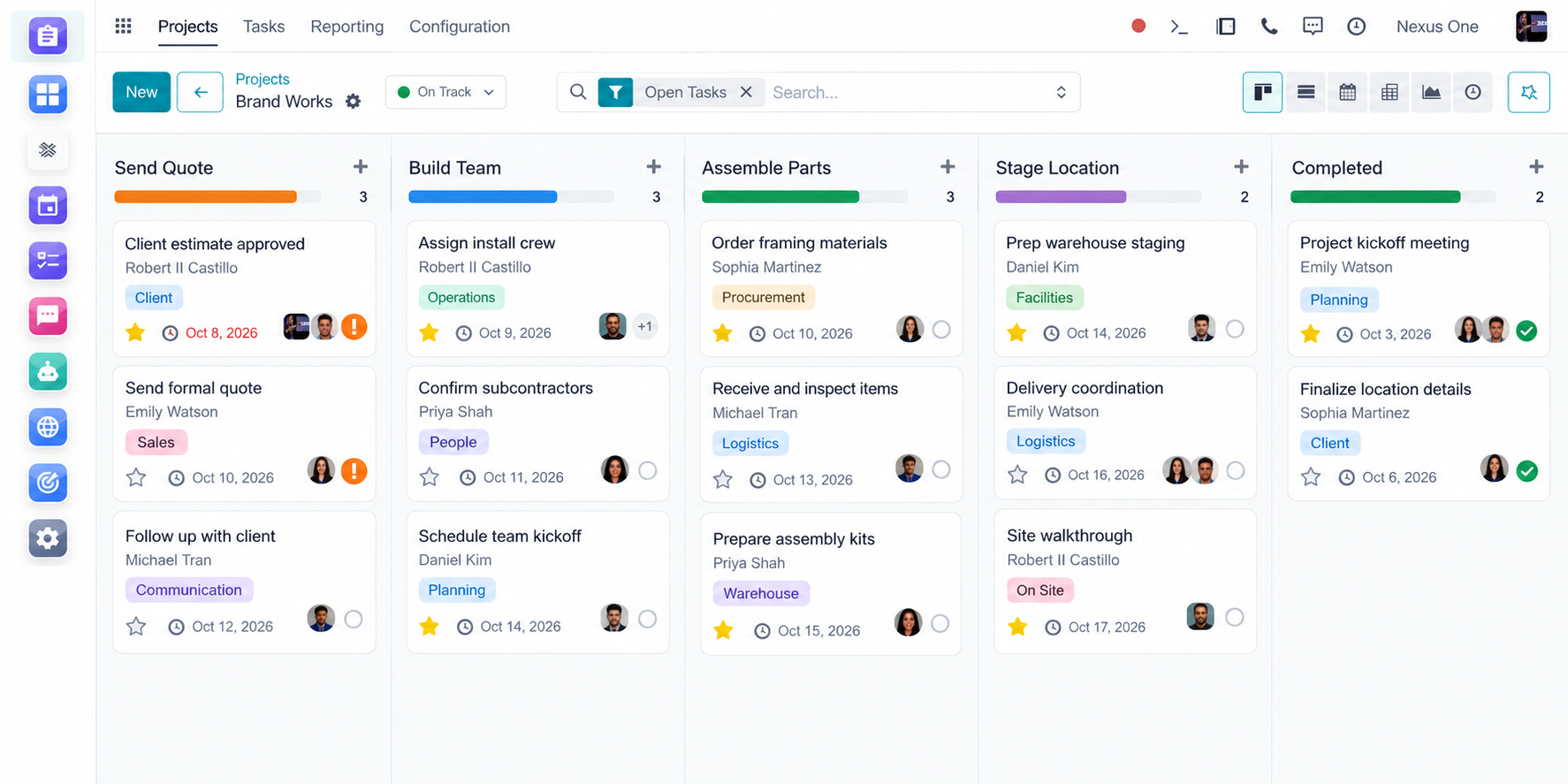
Run every project from kickoff to completion, all in one place.

Plan the work, assign your team, control costs, track materials, monitor deadlines, and keep customers updated without jumping between different systems.

Plan, assign, track, cost, and update every job without switching between separate tools.

Project Preview Dashboard
M
Framing milestone marked complete Milestone
Customer update sent automatically
C
5 employees clocked in at job site Clock-In
Geofenced attendance confirmed
I
Materials logged from Inventory Cost Update
Project cost updated in real time
P
8 site photos added to Job #214 Photo Upload
Visual history ready for review

Every job, planned, tracked, and costed in one system.

Projects usually get managed across a spreadsheet, a group chat, a separate time clock, and a folder of receipts, until nobody is sure what a job actually costs or where it stands.

Nexus One Project brings planning, assignments, deadlines, labor, materials, and customer updates into one connected workspace. Your team plans the work, tracks progress, and the numbers update themselves as work gets done.

Plan. Assign. Track. Cost. Update. Complete.

What You Can Do

Plan Projects Start to Finish
Create stages, tasks, milestones, goals, deadlines, and assign responsibilities to specific team members.
See Exactly How Work Is Progressing
Use your project dashboard to see completed work, upcoming deadlines, milestones, blockers, and overall status.
Track Every Project Cost
See labor, materials, purchases, expenses, and other project costs together so you know what the job is actually costing you.
Connect Materials to Inventory
Assign materials and products from your Nexus One inventory directly to a project so materials, quantities, and costs stay connected.
Track Employee Time
Employees can clock in and out while working on projects, helping you understand labor time being spent on each job.
Verify Where Employees Clock In
When connected with HR and location-based attendance tools, use geofenced clock-ins and clock-outs to confirm the correct job location.
Give Your Team a Visual Job History
Employees can upload photos, videos, documents, and project updates so everyone can see what happened during each stage.
Manage Milestones and Deadlines
Set important project milestones and know when a project is ahead, on schedule, or falling behind.
Automatically Keep Customers Informed
When milestones are reached, send customers progress updates, messages, surveys, or next-step information automatically.
Understand Project Performance
Compare project revenue, costs, labor, materials, and progress so you know which jobs are actually profitable.

Connected to the Rest of Your Business.

Project does not live alone. It works with the rest of Nexus One.

I
Inventory
H
HR
C
Cost Sheet
D
Documents
D
Discuss
A
Accounting
S
Surveys
C
CRM

Plan the job. Track the work. Know the cost.

1
Plan
Build stages, tasks, milestones, goals, and deadlines for the project.
2
Assign
Assign responsibilities to specific team members and departments.
3
Track
Monitor progress, blockers, and status from the project dashboard.
4
Cost
Track labor, materials, purchases, and expenses as the job moves forward.
5
Update
Send customers automatic progress updates when milestones are reached.
6
Complete
Close out the job and compare revenue, costs, and profitability.

Run every project without losing track of the details.

Enable Nexus One Project to plan the work, assign your team, control costs, track materials from Inventory, monitor deadlines, and keep customers updated automatically.

Geofenced attendance, materials tracking, and customer update automation depend on connected apps, device permissions, and business configuration.


Nexus One NEXUS ONE ANYWHERE

Your Business Command Center, On Your Smart Devices

Access customers, bookings, orders, tasks, messages, and team updates from anywhere — whether you're working from your phone today or stepping into hands-free business control with smart glasses. Stay connected at the shop, on the road, with a client, or in the field.

© 2026 Nexus One. All rights reserved.